Setting Up a RAG Pipeline for Your Document Library: A Developer Guide
Build a RAG pipeline for your document library: ingestion, chunking, embeddings, retrieval, and LLM generation. Step-by-step RAG tutorial for developers in 2026.
What Is a RAG Pipeline and Why Build One?
Retrieval-Augmented Generation (RAG) is an architecture that combines a retrieval system with a large language model to answer questions using your own documents. Instead of relying solely on the LLM's training data, RAG retrieves relevant passages from your document library and feeds them to the model as context. The LLM then generates answers grounded in your content.
Why build a RAG pipeline? LLMs have knowledge cutoffs and cannot access your private documents. Fine-tuning is expensive and does not scale when documents change frequently. RAG lets you add new documents without retraining. Answers are grounded in your data, reducing hallucination. You get source citations, so users can verify responses.
RAG is ideal for internal knowledge bases, document Q&A, customer support over product docs, legal contract search, and any use case where users need to query a corpus of documents and get accurate, cited answers. Enterprises use RAG to make decades of internal documentation searchable and actionable.
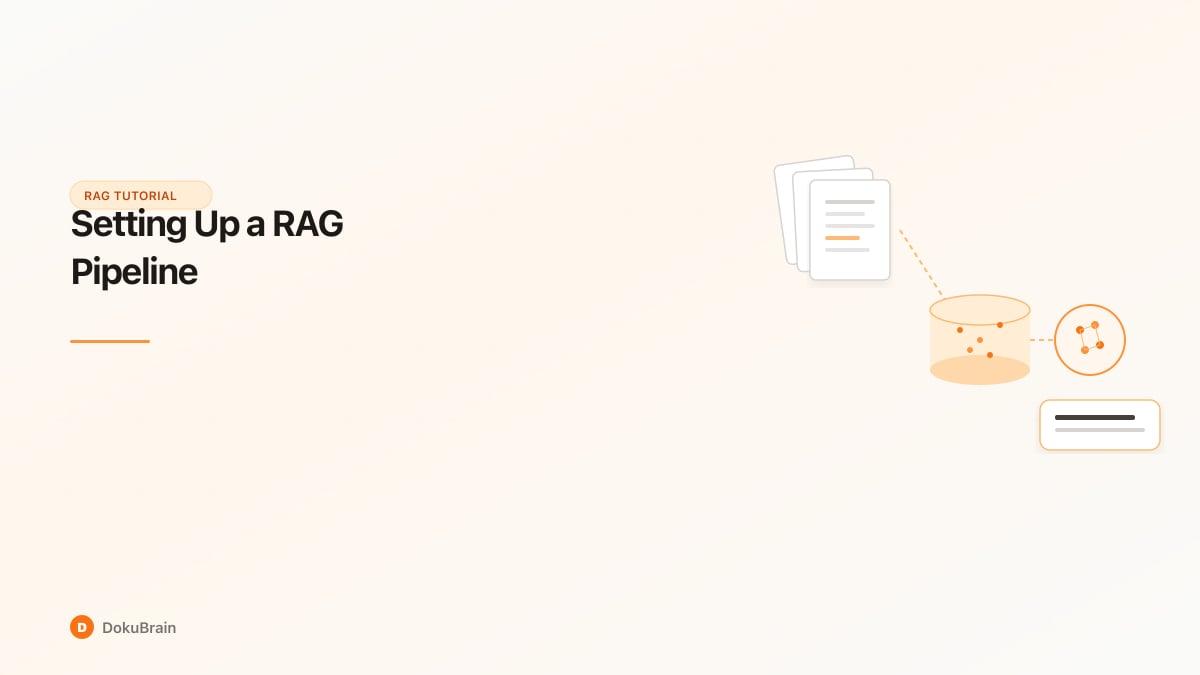
A typical RAG pipeline has five components: document ingestion and chunking, embedding generation, vector storage, retrieval (search + reranking), and LLM answer generation. This guide walks through each step.
RAG Pipeline Architecture: The Five Core Components
The five core components of a RAG pipeline work in sequence.
Document ingestion and chunking: Raw documents (PDFs, Word, HTML, etc.) are parsed into text. Text is split into chunks — typically 256-1024 tokens — that preserve semantic units (paragraphs, sections). Chunking strategy affects retrieval quality. Overlapping chunks or sentence-aware splits improve context continuity.
Embedding generation: Each chunk is passed through an embedding model (e.g., OpenAI text-embedding-3, Cohere embed, open-source alternatives) that produces a dense vector representation. Similar content maps to nearby vectors in embedding space. Embeddings capture semantic meaning, not just keyword match.
Vector storage: Embeddings are stored in a vector database (Pinecone, Qdrant, Weaviate, pgvector, etc.). Each chunk is indexed with its embedding and metadata (source document, page, section). The database supports approximate nearest neighbor (ANN) search for fast retrieval at scale.
Retrieval layer: When a user asks a question, the query is embedded. The vector database returns the top-k most similar chunks. Optional: keyword (BM25) or hybrid search complements semantic search. Reranking models (e.g., Cohere rerank) refine the top results before sending to the LLM. More relevant context improves answer quality.
LLM generation: The retrieved chunks are formatted as context and passed to an LLM with the user's question. The prompt instructs the model to answer based only on the context and cite sources. The LLM generates a response. Response quality depends on context relevance, chunk size, and prompt design.
End-to-end latency: typically 1-3 seconds for retrieval + generation.
Step 1: Document Ingestion and Chunking Strategies
Document ingestion converts files into text. PDFs require extraction (PyMuPDF, pdfplumber, or cloud APIs). Word docs use python-docx or similar. HTML is parsed for body content. Scanned PDFs need OCR first. Structured documents (tables) may need special handling to preserve layout.
Chunking is critical. Too-small chunks lose context. Too-large chunks dilute relevance and exceed LLM context limits. Common strategies:
Fixed-size chunking: Split by character or token count (e.g., 512 tokens with 50-token overlap). Simple but can break sentences or paragraphs mid-stream.
Sentence-aware chunking: Split on sentence boundaries, aggregating until you reach target size. Preserves readability. Better for prose.
Semantic chunking: Use models to identify natural boundaries (topic shifts, section headers). More sophisticated but adds complexity. Useful for long, structured documents.
Overlap: 10-20% overlap between chunks helps prevent cutting important context at boundaries. Trade-off: more chunks, more storage and retrieval cost.
Recommendation: Start with 512-token chunks, sentence-aware, with 50-token overlap. Tune based on your document types and retrieval results.
Step 2: Generating and Storing Embeddings
Embeddings convert text into dense vectors. Similar meaning maps to similar vectors. Cosine similarity or dot product measures similarity between query and chunks.
Embedding models: OpenAI text-embedding-3-small (1536 dims) and text-embedding-3-large (3072 dims) are widely used. Cohere embed-v3, Voyage AI, and open-source models (e.g., sentence-transformers) are alternatives. Dimension size affects storage and search speed. Match model to your vector DB.
Batch processing: Embed in batches (e.g., 100 chunks at a time) to maximize throughput and respect API rate limits. Store each embedding with metadata: document ID, chunk index, page number, section title. Metadata enables filtered search and accurate citation.
Vector storage: Qdrant, Pinecone, Weaviate, and pgvector are common choices. Qdrant and Pinecone are purpose-built for vectors. pgvector extends PostgreSQL — good if you already use Postgres. Index configuration (HNSW, IVF) affects recall and speed. Defaults usually work for <1M vectors.
Incremental updates: When documents change, re-embed modified chunks and update the index. Support delete, add, and update operations. Avoid full rebuilds for large corpora.
Step 3: Building the Retrieval Layer (Vector Search + Reranking)
Retrieval has two stages: initial search and optional reranking.
Vector search: Embed the user query. Run k-nearest-neighbor search (e.g., top 20) in the vector DB. Cosine similarity or dot product ranks chunks. Tune k: too few may miss relevant context; too many add noise and cost. Start with k=10-20.
Hybrid search: Combine vector search with keyword search (BM25). Keyword search excels at exact matches (names, IDs, acronyms). Vector search excels at semantic similarity. See our hybrid search vs vector search comparison for a deeper dive. Fuse scores (reciprocal rank fusion or weighted combination) for better recall. Many vector DBs support hybrid natively.
Reranking: Take the top 20-50 from initial search. Run a reranker model (Cohere rerank, cross-encoder) to rescore relevance to the query. Return top 5-10 to the LLM. Reranking improves precision significantly — you send only the most relevant chunks, reducing noise and improving answers.
Filters: Use metadata (document type, date, department) to scope search. Filter before or after vector search depending on your DB.
Step 4: Connecting the LLM for Answer Generation
The LLM receives the query and retrieved context. Prompt design matters.
Context formatting: Concatenate chunks with clear separators. Include source identifiers (document name, page) so the model can cite. Example: "Source 1 (doc.pdf, p.3): [chunk text]
Source 2 (doc.pdf, p.5): [chunk text]"
Prompt structure: System prompt: "Answer based only on the provided context. If the answer is not in the context, say so. Cite sources." User prompt: "Context: {context}
Question: {query}"
Context length: Balance context size (more may help) with model limits and cost. GPT-4 handles 128K tokens; Claude handles 200K. For most queries, 3-5 chunks (1500-4000 tokens) suffice. Truncate if needed.
Model choice: GPT-4, Claude, Gemini, or open-source LLMs. Consider cost, latency, and quality. Smaller models are cheaper but may sacrifice citation accuracy.
Output: Request structured output (e.g., JSON with answer and sources) if you need to parse programmatically. Otherwise, instruct the model to inline citations.
Step 5: Evaluation, Quality Scoring, and Iteration
RAG quality depends on many choices. Evaluate and iterate.
Evaluation metrics: Relevance: Do retrieved chunks actually contain the answer? Use human judgment or LLM-as-judge. Faithfulness: Does the answer stay grounded in the context? Hallucination detection. Answer correctness: Is the factual content right? Compare to gold answers. Citation accuracy: Are cited sources correct?
Quality scoring: Implement confidence or quality scores. Low scores can trigger fallback (e.g., "I could not find enough information") or human review. DokuBrain provides quality scoring for RAG answers: relevancy, grounding, and hallucination risk — useful for production deployments.
Iteration levers: Chunk size and overlap. Embedding model. Number of retrieved chunks (k). Reranking on/off. Prompt changes. Test systematically. A/B test chunking strategies and retrieval parameters.
Monitoring: Log queries, retrieved chunks, and answers. Track latency and error rates. Sample for manual review. Detect drift when document corpus or user questions shift.
Quick Start Steps
Ingest and chunk documents
Parse PDFs, Word docs, and other formats into text. Split into 512-token chunks with overlap, using sentence-aware boundaries.
Generate embeddings
Pass each chunk through an embedding model. Store vectors with metadata (document ID, page, section) in a vector database.
Set up vector storage
Choose a vector DB (Qdrant, Pinecone, pgvector). Index embeddings for fast approximate nearest neighbor search.
Build retrieval layer
Embed user queries and run k-NN search. Optionally add hybrid keyword search and reranking for better precision.
Connect LLM
Format retrieved chunks as context. Send to LLM with prompt instructing answer-from-context and citation. Generate response.
Evaluate and iterate
Measure relevance, faithfulness, and correctness. Tune chunking, k, reranking, and prompts. Monitor production quality.
Frequently Asked Questions
What is a RAG pipeline?
A RAG (Retrieval-Augmented Generation) pipeline combines document retrieval with an LLM. Documents are chunked, embedded, and stored in a vector database. User questions trigger a search for relevant chunks, which are then passed to the LLM as context for answer generation.
What are the main components of a RAG pipeline?
The five core components are: document ingestion and chunking, embedding generation, vector storage, retrieval (vector search + optional reranking), and LLM answer generation.
What chunk size should I use for RAG?
Common chunk sizes are 256-1024 tokens. Start with 512 tokens, sentence-aware splitting, and 10-20% overlap. Tune based on document type and retrieval quality.
What vector database should I use for RAG?
Popular choices include Qdrant, Pinecone, Weaviate, and pgvector. Qdrant and Pinecone are purpose-built; pgvector fits if you already use PostgreSQL. Choose based on scale, latency, and operational preferences.
Does RAG need reranking?
Reranking improves precision by rescoring top retrieval results. It is optional but recommended for production — it filters noise and sends only the most relevant chunks to the LLM, improving answer quality.
How do I evaluate RAG quality?
Evaluate relevance (retrieved chunks contain the answer), faithfulness (answer grounded in context), correctness (factual accuracy), and citation accuracy. Use human judgment or LLM-as-judge. Iterate on chunking, retrieval, and prompts.
Can I use RAG for my private documents?
Yes. RAG is designed for private document libraries. Documents are chunked, embedded, and stored in your infrastructure. The LLM sees only the chunks you retrieve — your data does not train the model.
Ready to try it yourself?
Start processing documents with AI in seconds. Free plan available — no credit card required.
Get Started Free